
QR Menu for Cloud Kitchens — How to Run Multiple Brands from One Kitchen
The complete guide to a cloud kitchen digital menu: how to operate multiple brands from one ghost kitchen using a QR menu, receive orders on WhatsApp, and manage every brand separately from a single dashboard.
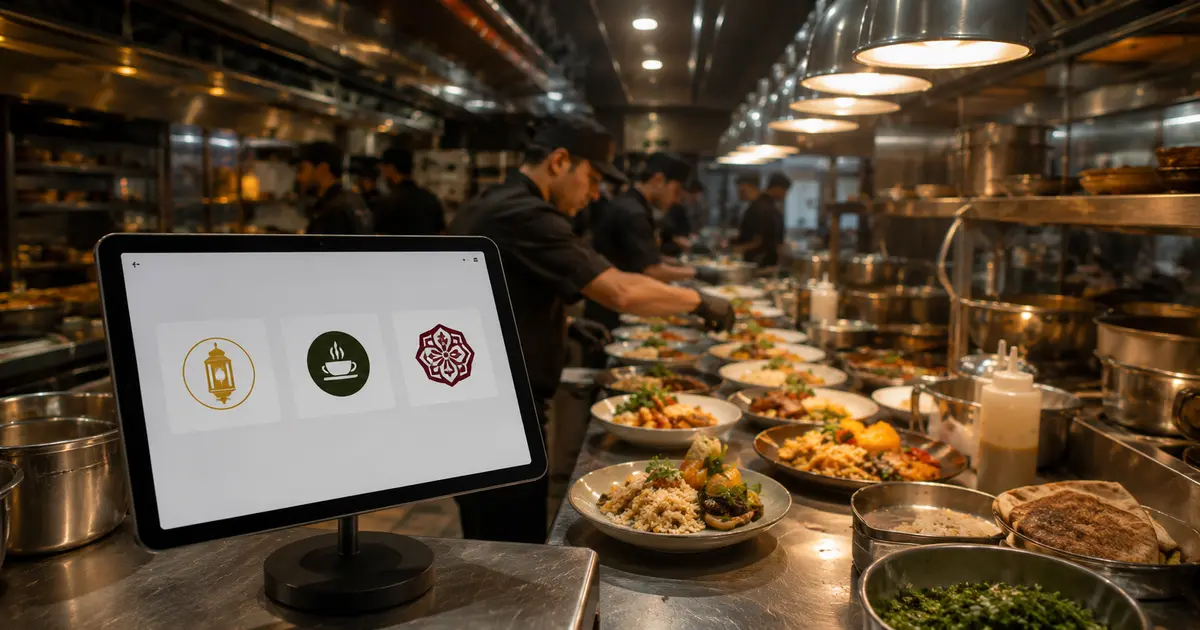
QR Menu for Cloud Kitchens — Managing Multiple Brands from One Place
A cloud kitchen — also called a ghost kitchen or virtual kitchen — operates without a dining room, without walk-in customers, and without a front-of-house. The kitchen cooks, the app sells, and delivery handles the rest.
But there's a challenge that many cloud kitchen operators run into: when running multiple brands from the same kitchen, how do you manage the menus? How does each brand look and feel distinct, while keeping operations simple and centralized?
A cloud kitchen digital menu is the answer — and this guide explains exactly how.
Cloud Kitchens in the Arab World — A Fast-Growing Market
After 2020, the cloud kitchen market exploded across Egypt, Saudi Arabia, and the UAE. The forces driving growth:
- Rising traditional restaurant rents: Cloud kitchens dramatically reduce fixed overhead
- Delivery app penetration: Talabat, Careem, and local platforms made online ordering a daily habit
- Easy multi-brand launches: The same kitchen can operate as a shawarma brand, a pizza brand, and a sushi brand simultaneously
But with multiple brands comes management complexity — and the most immediate challenge is: how do you manage each brand's menu?
The Real Challenge: Managing Multiple Menus for Different Brands
Imagine running 3 brands from the same kitchen:
- 🥩 Kebab & Shawarma Brand
- 🍕 Pizza Brand
- 🥗 Healthy Bowls Brand
Each brand has:
- A completely different menu
- Different pricing
- Different visual identity (colors, logo, photography)
- A different target audience
If you're managing this across 3 separate platforms or 3 PDF files — it becomes chaos. Updating a price in one brand means 3 separate tasks. An error in any menu means a customer problem.
A ghost kitchen digital menu solves this entirely.
The Solution: One Dashboard, Unlimited Brands
With DG Menus, you can create an independent QR menu for each brand — each with its own identity, its own code, its own menu — and manage all of them from a single dashboard.
How This Works in Practice:
Kebab Brand
- Independent menu with its own colors and items
- Its own QR code
- Orders arrive on the WhatsApp number assigned to this brand
Pizza Brand
- Independent menu with its own visual identity
- Different QR code
- Orders go to a different WhatsApp number if needed
Healthy Bowls Brand
- Completely independent from the customer's perspective
- But from your side as the cloud kitchen operator — you manage all three from one place
Receiving Cloud Kitchen Orders on WhatsApp
A cloud kitchen by nature depends on delivery — but not every order has to come through a third-party app that takes a commission.
With a cloud kitchen digital menu, you can:
- Share each brand's QR code or menu link directly on Instagram and Facebook
- Customers open the menu, place an order, and it arrives directly on WhatsApp — no intermediary
- Zero delivery app commission on those direct orders
- Direct communication with the customer
This doesn't replace delivery apps — it's an additional channel that saves you commission on every direct order you receive through it.
The Numbers: Cloud Kitchen With vs. Without a Digital Menu
| Without Digital Menu | With Cloud Kitchen Digital Menu | |
|---|---|---|
| Update a price across 3 brands | 3 separate tasks, significant time | One update per brand, two minutes each |
| Add a new item | Edit each platform separately | One dashboard, one minute |
| Commission on direct orders | App commission on every order | Zero commission on WhatsApp orders |
| Each brand's identity | Scattered across platforms | Clear and independent per brand |
| Daily management time | Hours | Minutes |
Tips for Cloud Kitchen Operators to Maximize Results
Give each brand a distinct visual identity Even if the kitchen is shared, the customer sees separate brands. Each brand gets its own logo, colors, and food photography — a digital menu makes this easy and affordable to maintain.
Use WhatsApp as a direct sales channel Post each brand's QR code on its own Instagram and Facebook. Customers order directly from the menu without needing to download an app — and you keep the full margin.
Update prices with ingredient costs Cloud kitchens are more sensitive to ingredient price fluctuations than traditional restaurants. With a digital menu, price changes take seconds — not weeks.
Invest in food photography per brand A cloud kitchen has no dining room to attract customers. The photo is the first thing they see. Strong food photography for each brand is one of the highest-ROI investments you can make.
Frequently Asked Questions About Cloud Kitchen Menus
Q: Can you run 5 or 6 brands from the same dashboard?
A: Yes, with no upper limit on brands. Each brand has its own independent menu and QR code, and you manage all of them from one place.
Q: Do orders get mixed up between different brands?
A: No. Each brand receives orders on a separate WhatsApp number, or the brand name appears clearly in every order message.
Q: Does the digital menu work alongside third-party delivery apps?
A: Yes. DG Menus operates independently from delivery apps — it's an additional direct channel. You continue using Talabat and others while adding a zero-commission direct channel.
Q: Can I launch a new brand from the same cloud kitchen with a new menu?
A: Yes. Create a new menu in the dashboard and launch the new brand the same day. No waiting for design or print production.
Q: Will customers know that different brands come from the same kitchen?
A: That's your choice. You can keep each brand fully independent, or acknowledge that they're part of the same group — the digital menu supports both approaches.
A Successful Cloud Kitchen = Smart Management + a Credible Customer Experience
A cloud kitchen digital menu isn't just a menu — it's a management system that lets you run multiple brands efficiently, receive direct orders with zero commission, and build a strong identity for each brand without multiplying costs.
In the competitive cloud kitchen market of 2026, the operators who manage smartly are the ones who stay ahead.
Start free with DG Menus and manage all your brands from one place →
Read Next
QR Menus Aren't Just for Restaurants: How Any Business Can Use One in 2026
The QR menu concept has grown far beyond restaurants and cafés. Learn how showrooms, home kitchens, dessert shops, and online stores can all use the same digital catalog idea.
QR Menu for Hotels: Better Guest Experience and Lower Printing Costs
Discover how a hotel QR menu improves the guest experience and cuts printing costs. A complete guide to implementing a digital menu hotel solution across guest rooms, restaurants, and room service.
Barcode Menu for Restaurants and Cafés — Everything You Need to Know
The complete guide to barcode menus for restaurants and cafés: how they work, the difference between a barcode and QR code, and how to activate QR food ordering with WhatsApp order receiving for any type of venue.